


Cross Stitch: Color by Number
4.418.60K Reviews
App Specs
- Version
- 2.14.0
- Updated On
- License
- Free
- Downloads
- 10,000,000+
- Developer
- Eyewind
- Categories
- Board
- Platform
- Android, iOS
Screenshots
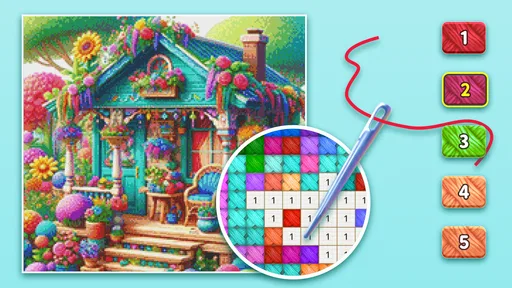
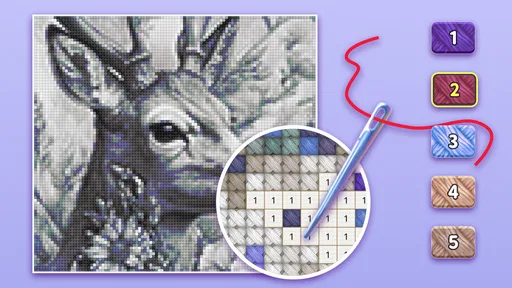
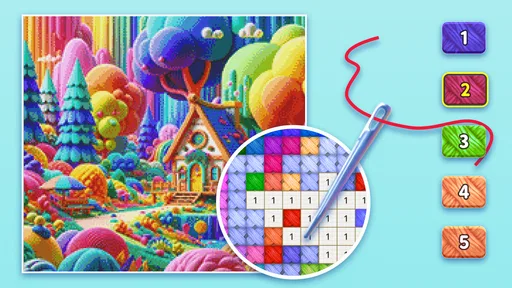

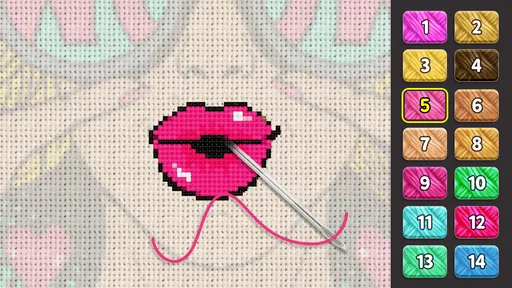
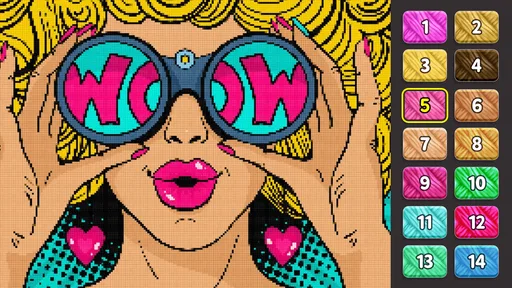
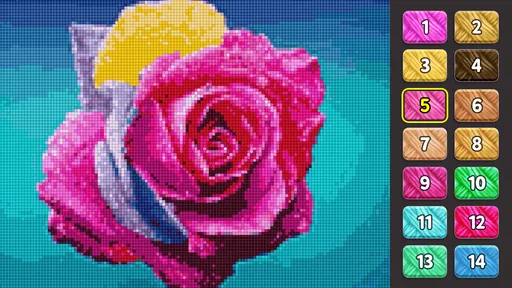
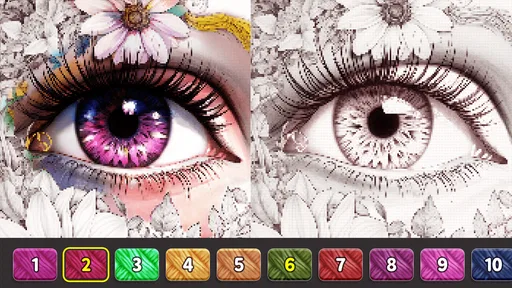
 Analysis by AppCompare
I usually judge a relaxing game by two things: whether I can understand it immediately and whether its central activity stays satisfying after the novelty wears off. Cross Stitch: Color by Number is a board game from Eyewind that turns filling a pattern into a small, focused routine. It suits anyone who wants a creative activity on a phone without having to learn a complicated system, though it is less appealing if you want strategy, competition, or the feel of making something with real thread.
A useful way to decide is to ask what you want from a digital craft. If you mainly want a quiet task to pick up for a few minutes, the numbered-color approach gives you a clear next step. If you want to design your own artwork from scratch, or practice the techniques and material choices of actual embroidery, a dedicated art or craft tool will be a better fit. This game occupies the middle ground: more guided than a blank canvas, but more involved than simply watching something on your phone.
The Joy of Cross-Stitching Made Digital
When I first downloaded Cross Stitch: Color by Number, I was curious about how an app could replicate the soothing experience of traditional cross-stitching. To my surprise, it does a fantastic job! The interface is intuitive, allowing you to dive right into the art without any fuss. You get a wide array of patterns to choose from, ranging from simple to intricate designs.
The app is designed to keep things engaging. I mean, who doesn't love a good challenge? You start by selecting a pattern and then use the color key to fill in the design. It's like paint-by-numbers but with a cross-stitch twist. As I completed each section, a sense of accomplishment washed over me—it's oddly satisfying to see the image come to life, pixel by pixel.
Choosing a Pattern and Settling Into a Rhythm
Pattern choice makes a bigger difference than it may first seem. A simpler design is a sensible place to start when you want to learn how the color key and tapping work; a more detailed image gives you a longer project to return to. I would choose based on the time and attention I have, not just on which finished picture looks nicest. A complicated pattern can be rewarding when I have a calm stretch, but it is not necessarily the best choice when I am tired or likely to be interrupted.
For an ordinary day, I can imagine opening it while waiting for an appointment or taking a quiet break at home, completing a small patch, then putting the phone away. That makes the game easy to fit around other things: there is no need to prepare materials or clear a table. The trade-off is that the screen becomes the whole craft experience. If what you enjoy is handling fabric, thread, and a needle, the digital version will not replace that tactile part.
Features That Hooked Me
One of the standout features is the variety of patterns. The library is constantly updated, ensuring there's always something fresh to work on. Whether you’re into animals, landscapes, or abstract art, there’s a pattern waiting for you. Plus, the app offers a handy zoom function, which is great for those tiny details.
Worth Reading Before You Choose

EA SPORTS FC Mobile 26 Is a Bigger Football Game, but It Takes Time

Flipboard Shows What News Apps Must Do Beyond the Feed

Switching to Android Auto Means Rethinking Your Driving Routine

Google Calendar Makes a Crowded Week Easier to Manage

Ludo King Makes the Most of the Minutes Between Plans

Baby Panda World Brings Quick Play to Modern Phones, but Its Game Library Feels Busy
I also appreciate the color picker tool. It makes selecting the right shade a breeze, eliminating any guesswork. You just tap on the color and start filling in. It’s that simple! And if you make a mistake, the undo button is a lifesaver—trust me, it’s saved me from a few coloring disasters.
A small but useful habit is to zoom in before working on a tightly packed area, rather than trying to correct a run of taps afterward. I find it helps me keep track of individual squares and makes the color key easier to follow. When I want to move quickly, I work through a clear patch of one shade; when I want a slower, more attentive session, I focus on the tricky details. Those two approaches make the same pattern feel different without changing the basic rules.
It is also worth treating undo as a safety net, not as a reason to rush. A quick glance at the selected shade before filling a cluster can save interruptions, especially when neighboring colors look similar on a small screen. The game’s appeal comes from steady progress, so I would rather take a moment to check the key than turn a calming activity into a cleanup exercise.
How It Compares With Other Creative Games
Compared with a conventional coloring game, the cross-stitch layout gives each image a more structured, grid-based feel. You are not freely brushing color across an open shape; the numbered pattern gives you a specific task and a visible path through the picture. That structure is a strength when I want guidance, but a limitation if I want to experiment with my own palette or make expressive marks.
Compared with physical cross-stitch, it is far more convenient to start and stop, but it cannot teach the practical rhythm of stitching or produce a handmade object. And compared with a puzzle or strategy board game, it asks for attention without asking me to plan moves against an opponent. I would choose it for decompression rather than for a competitive challenge. These distinctions matter: “creative” can mean very different things, and this game is best for guided, low-pressure participation.
Relaxation at Your Fingertips
What I love most about this app is its ability to help me unwind. There’s something incredibly calming about focusing on each square, one at a time. It’s almost like a form of digital mindfulness. I often find myself getting lost in the process, forgetting about the hustle and bustle of daily life.
The app also allows you to listen to your favorite tunes while you stitch away. Pairing this with a cup of tea on a rainy afternoon is my idea of paradise. The combination of music and creativity makes for a perfect escape.
In practice, I would keep a session deliberately short if I were using it as a break between tasks. The grid makes it easy to tell where my attention is going, but that same focus can make a quick visit stretch longer than planned. If I need to stay alert to messages or have only a moment to spare, a less absorbing activity may be the wiser choice. It is relaxing when I choose the time for it, not a substitute for paying attention to whatever is happening around me.
Who It Suits—and When I Would Skip It
I would recommend trying it if you like color-by-number activities, enjoy gradual visual progress, or want a phone game that does not depend on competing with other people. It can also suit someone curious about cross-stitch patterns who wants to explore the look of the craft before investing time in physical supplies. The free starting point makes it straightforward to see whether the format appeals to you, while in-app purchases are available for people who choose to spend on items.
I would skip it if you need open-ended drawing tools, real-world craft instruction, or a game built around tactical decisions and changing challenges. The guided fill-in process is the point, so it may feel repetitive if you quickly tire of selecting a shade and completing its marked spaces. Someone who enjoys the tactile concentration of actual embroidery may also find the phone version too detached from the materials they value.
Accessibility and User Experience
The developers have done a great job ensuring the app is accessible to everyone. The controls are straightforward, and the layout is clean and user-friendly. There's no steep learning curve, which means you can focus on the fun part—stitching!
Moreover, the app performs smoothly without any lag, even on older devices. It’s a testament to the careful design and optimization work put in by the team. This makes Cross Stitch: Color by Number a joy to use, whether you’re on a quick break or settling in for a longer session.
It is free to download, rated for Everyone, and has an average rating of 4.4 from around 195,000 ratings, with over 10 million installs. The game was released on April 7, 2017; version 2.12.4 requires Android 6.0 or later. In-app purchases range from $1.99 to $59.99 per item, so I would treat spending as optional and decide whether the basic activity is enjoyable before buying anything. Those details make it approachable for a broad audience, but parents should still consider how they manage purchases on a shared device.
If you are wondering whether your own photos can be used, the game’s store summary specifically describes cross-stitching with personal photos. That makes it worth considering when you want a more personal image to work on, rather than only choosing from themed patterns. I would still begin with a ready-made design to get comfortable with the controls, then try a personal image if that workflow is what interests you.
Making the Most of a Session
For a calmer first session, I would pick a design that looks manageable, check the color key, and use zoom when the grid becomes hard to read. I would also pause between sections instead of trying to finish the whole image in one sitting. This keeps the activity flexible and makes it easier to return without feeling that a relaxing game has turned into a task.
If I were sharing the phone with a child, I would show them how to select a color and undo a tap before handing it over, then review purchase settings separately. The Everyone rating means the game is suitable for a broad audience, but a rating does not remove the practical need to manage purchases on a device used by more than one person. That is a small bit of setup that can prevent an otherwise pleasant activity from becoming a surprise expense.
The key question is whether you enjoy filling in a design more than inventing one. If the answer is yes, the numbered grid gives you enough structure to settle into the process without much instruction. If you want complete creative control, it is better to use a drawing app; if you want the physical craft itself, choose real embroidery materials and guidance instead. Knowing that distinction helps set fair expectations before you install it.
In conclusion, if you're looking for a creative outlet that offers both fun and relaxation, give Cross Stitch: Color by Number a try. It's a delightful way to unwind, and who knows, you might just discover a new favorite hobby. Happy stitching!
Pros
- Relaxing gameplay with soothing effects.
- Wide variety of patterns to choose from.
- User-friendly interface for easy navigation.
- Offline mode available for on-the-go use.
- Regular updates with new patterns.
Cons
- Ads can be intrusive during use.
- Some patterns require in-app purchases.
- Limited free pattern options.
- Can be resource-heavy on older devices.
- No option for advanced customization.
FAQs for Cross Stitch: Color by Number
What is Cross Stitch: Color by Number and how does it work?
Cross Stitch: Color by Number is a creative app that allows users to complete beautiful cross-stitch patterns using a color-by-number system. The app provides a variety of patterns to choose from, and users simply follow the numbered guide to fill in colors, simulating the relaxing experience of traditional cross-stitching with the convenience of a digital platform.
Is Cross Stitch: Color by Number free to use?
The app offers a free version with a selection of patterns available to users. However, there are additional patterns and features that can be unlocked through in-app purchases. This freemium model allows users to enjoy the basic functionality without cost, while providing options for expanded content through purchases.
Can I create my own patterns in Cross Stitch: Color by Number?
Yes, Cross Stitch: Color by Number includes a feature that allows users to upload their own images and convert them into cross-stitch patterns. This customization option provides a personal touch, enabling users to craft unique designs based on their favorite photos or artwork.
Does Cross Stitch: Color by Number require an internet connection?
The app can be used offline once it is downloaded and installed, allowing users to work on their patterns without an internet connection. However, an internet connection is required for initial downloading of new patterns, accessing updates, and making in-app purchases.
Is Cross Stitch: Color by Number suitable for all ages?
Cross Stitch: Color by Number is designed to be accessible and enjoyable for users of all ages. Its intuitive interface makes it easy for children, while its wide range of patterns, including more complex designs, can engage adult users. It’s a family-friendly app that promotes creativity and relaxation.


